
Cinemadio Editor
A video editor that never leaves your computer.
Free, in your browser, with no upload and no account. Cut, grade, caption and export your films while every file stays on your own machine.
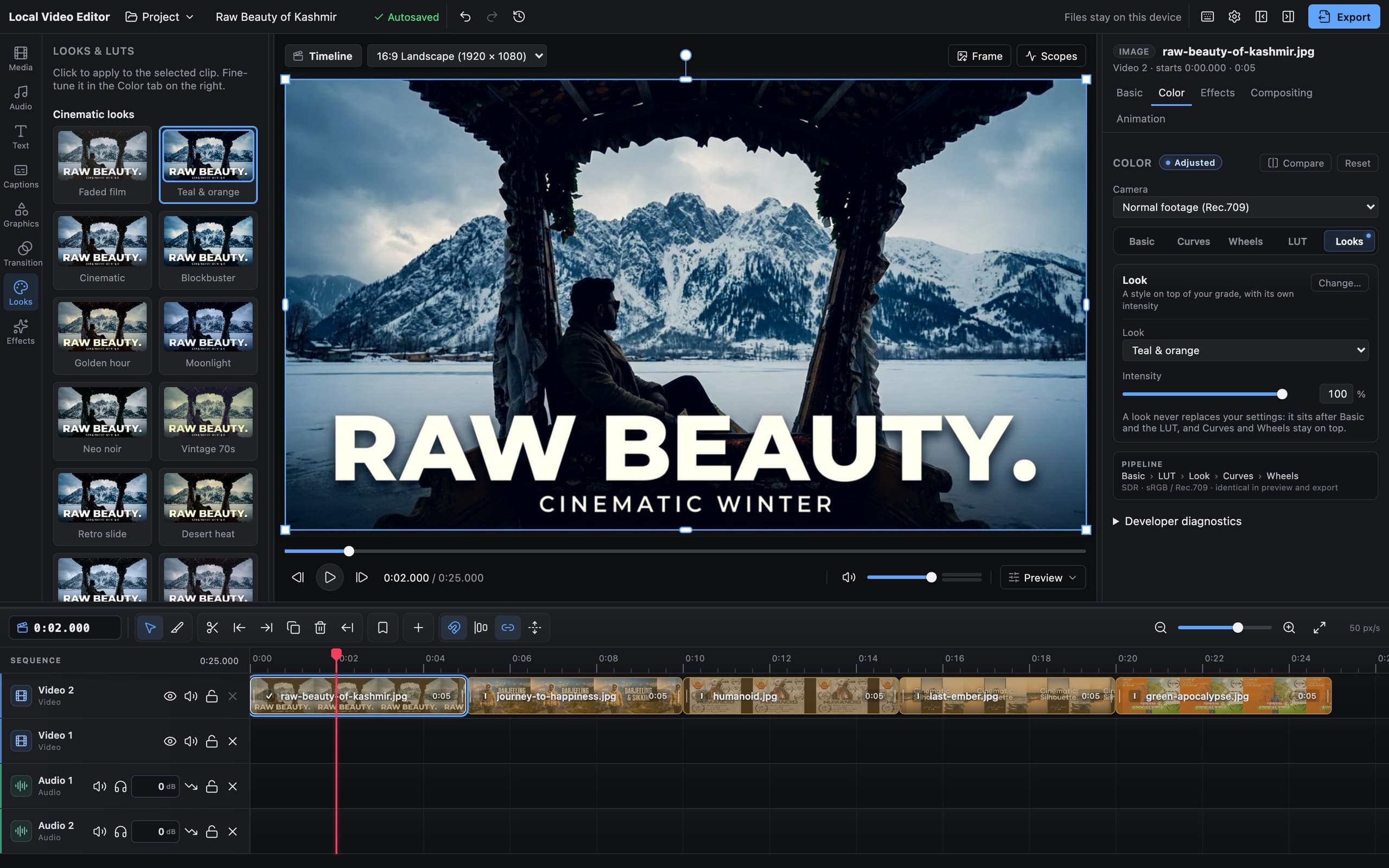
Editing stills from Cinemadio's own films, right in the browser
How it works
From clips to a finished film in three steps.
- 01
Link your footage
Point the editor at the folder your clips are in, on any drive. They're used right where they are: never uploaded, never copied.
- 02
Edit
Cut on a real multi-track timeline, grade the colour, add titles, captions and music. Everything saves as you go.
- 03
Export
Render an MP4 straight to your disk at your project's full resolution. No watermark, no limits.
Colour
Looks that preview on your own shot.
Every look and LUT shows a live preview on the clip you're grading, so you choose by eye, not by name. Fine-tune with curves, colour wheels and scopes; log footage converts to normal colour first.
Your files
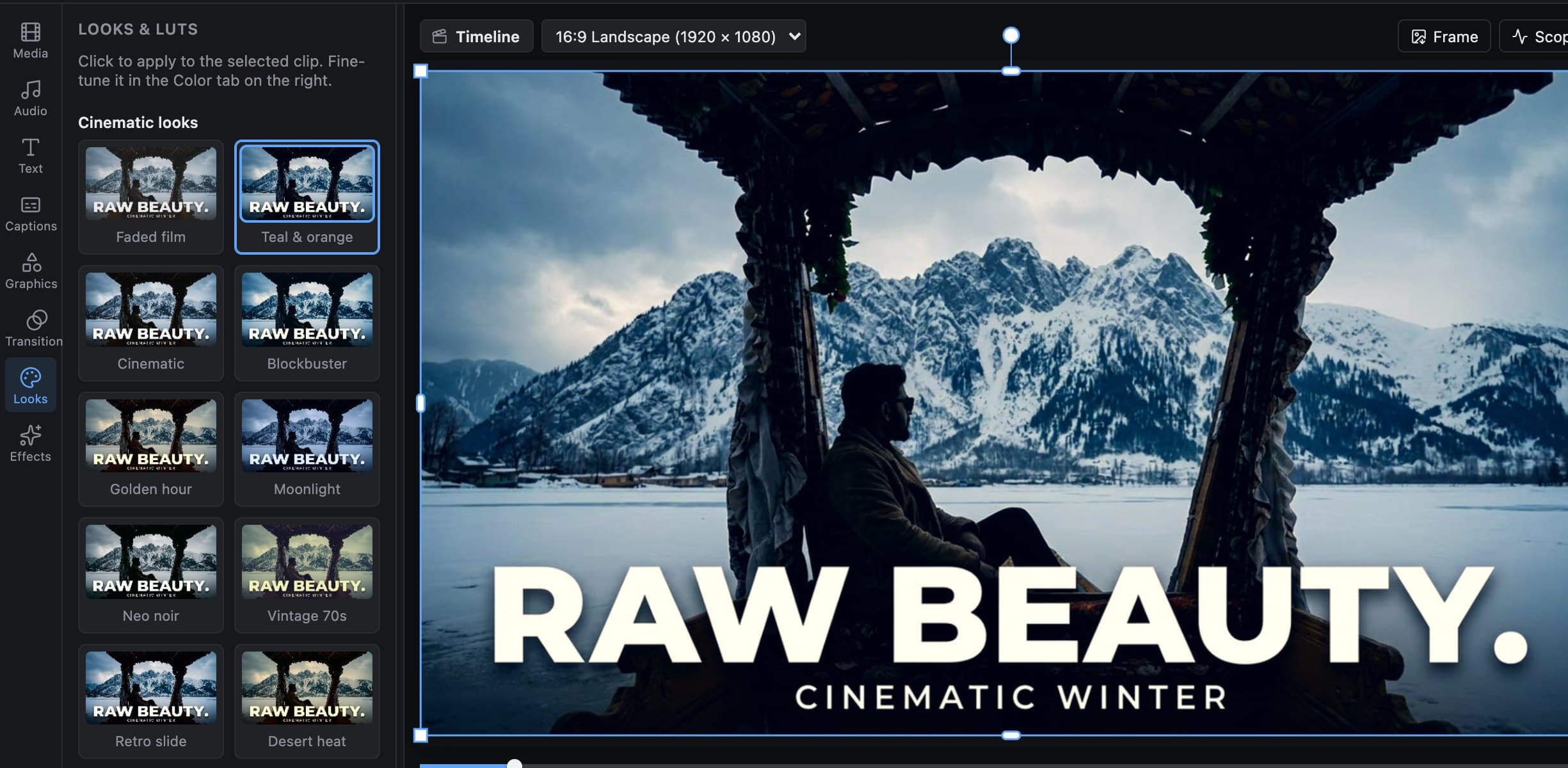
Your footage stays where it is.
Link the folders your footage lives in, on any drive. The editor reads files in place, reconnects them after a refresh, and finds moved or renamed files on its own. Nothing is copied, so it costs you no extra disk space.
Timeline
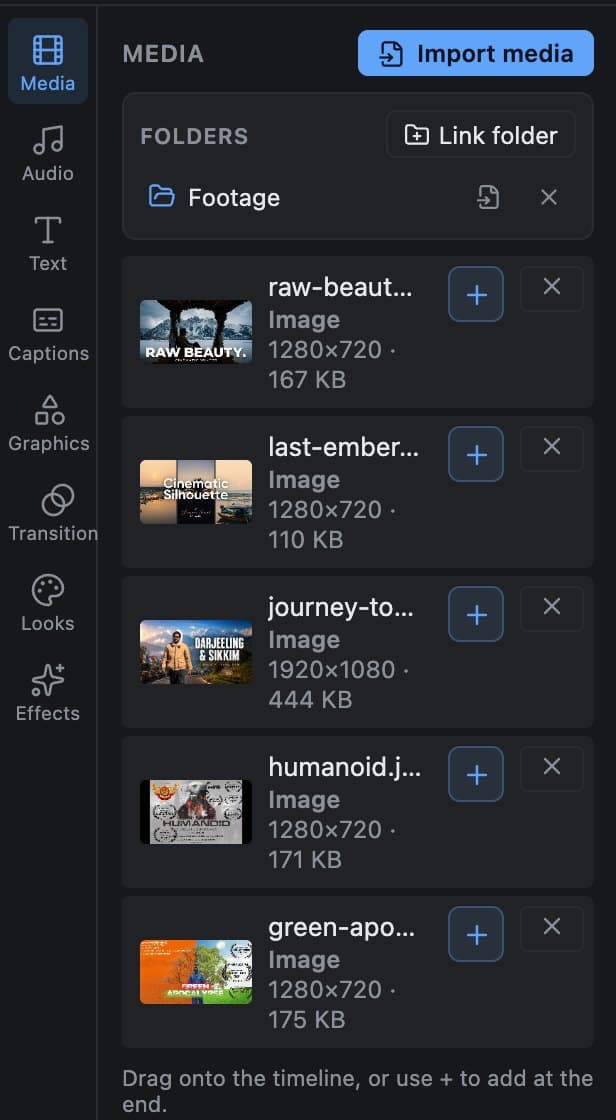
A real timeline, not a toy.
Multiple tracks, filmstrips and waveforms, trim and ripple, slip, roll and slide, markers and a blade tool. Drag clips between tracks, alone or several at once.
What it does
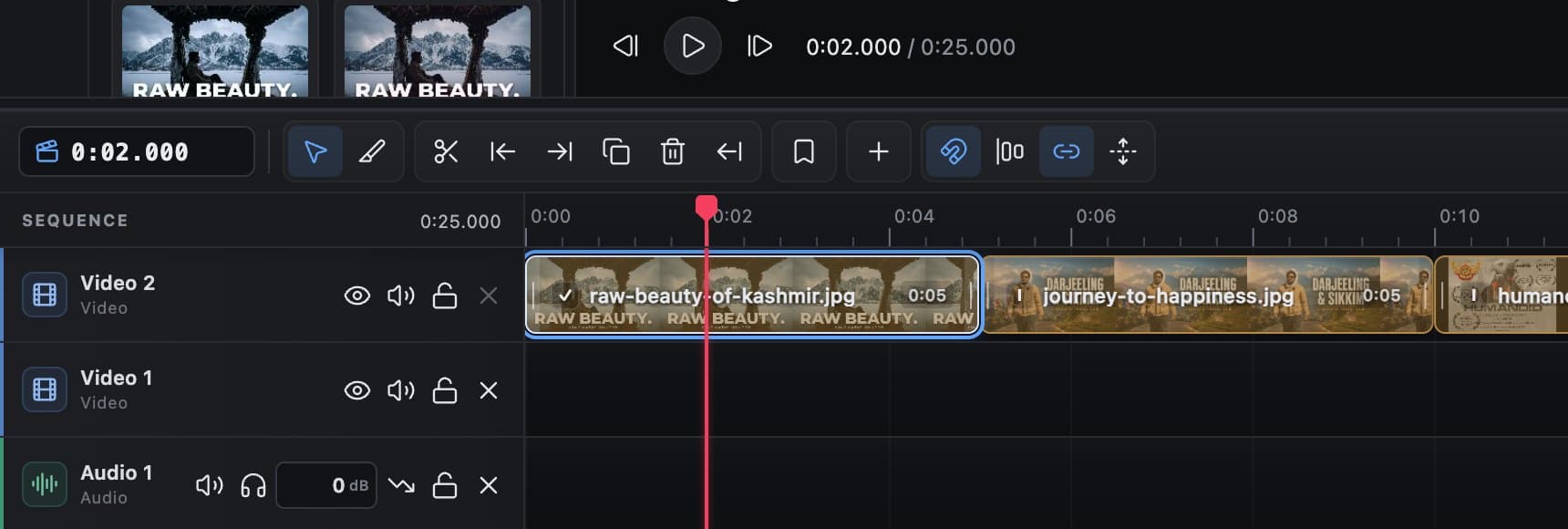
Everything a film needs.
All of it runs on your device, using the video hardware your browser already has.
Timeline
Multi-track editing with trim, split, ripple delete, slip, roll and slide, markers, in/out range, copy and paste, and a blade tool.
Colour
Curves, colour wheels, looks and your own .cube LUTs, with live scopes. Camera log footage converts to Rec.709.
Motion & effects
A browsable effects list, keyframes, entrance and exit animations, speed ramps, reverse, freeze frame, transitions and stabilisation.
Titles & captions
Text and shapes with presets, and captions: generate them from speech with an open-source model that runs on your computer, import or export SRT and VTT, and burn them into the picture.
Sound
Waveforms, fades, a volume line with keyframes, EQ and compressor, automatic ducking under speech, and loudness normalising.
Export
MP4 (H.264/AAC), WebM (VP9/Opus), plus audio-only M4A and WAV, at up to your project's full resolution.
Private by design
Your footage is yours.
Most online editors upload your video to work on it. This one doesn't have a server to upload to.
Never uploaded, never copied
Your browser reads media straight from your disk. Nothing is sent anywhere, and nothing is duplicated, not even into the browser's own storage.
Enforced, not just promised
The editor's security policy blocks it from contacting any other site, so your footage couldn't leave even by mistake.
No account, no tracking
No sign-up, no analytics, no ads. Projects save in your own browser and can be exported as a file.
Works offline
After the first visit it can be installed and used without a connection.
Light on your computer
Smooth on the laptop you already have.
You shouldn't need an editing workstation to cut a film. The editor works out what your computer can do and adjusts.
Adapts to your computer
Preview quality steps down only when playback can't keep up: first the resolution, then the frame rate. It steps back up when your computer copes.
Heavy footage, made light
For 4K, HEVC and other demanding files it can make a small optimised preview copy in the background, and pauses that work while you play or scrub.
Scrubbing that keeps up
Dragging through a clip shows the nearest full frame instantly, then the exact frame the moment you stop.
Export stays full quality
All of this changes only the preview. Your export always renders from the original files, at full quality and frame rate.
Questions
Good to know.
Long, high-resolution exports are limited by your computer and its free disk space, not by us.
Is it really free?
Yes. There's no paid tier, no watermark, no export limit and no account. It runs on your computer, so there are no servers to pay for.
Are my videos uploaded anywhere?
No. The editor has no server to upload to, and its security policy stops it contacting any other site. Your files are read in place on your computer.
Where are my projects saved?
In your browser, automatically, as you edit. You can also save a backup file, or a package with the project and all its media to move it to another computer.
What if I move or rename my footage?
Link the folders your footage lives in and the editor finds moved or renamed files by itself. If anything is still missing, one “Relink all media” click reconnects it.
Which browser should I use?
A recent Chrome or Edge on a desktop or laptop gives you everything, including linked folders. Other browsers work with fewer features. On a phone it asks you to use a computer.
Will it run on an older laptop?
It's built to. The preview adapts to what your computer can do, and heavy footage can be edited through light preview copies, while the export stays full quality.
Try it
Open it, drop in a clip, and cut.
No sign-up and nothing to install. Your work is saved in your browser.