10 November 2026 · 5 min read
Tracking Shots Without a Dolly
Move with a person using a simple camera setup, plan a safe path, and leave room for stabilisation without expecting it to rescue every bump.
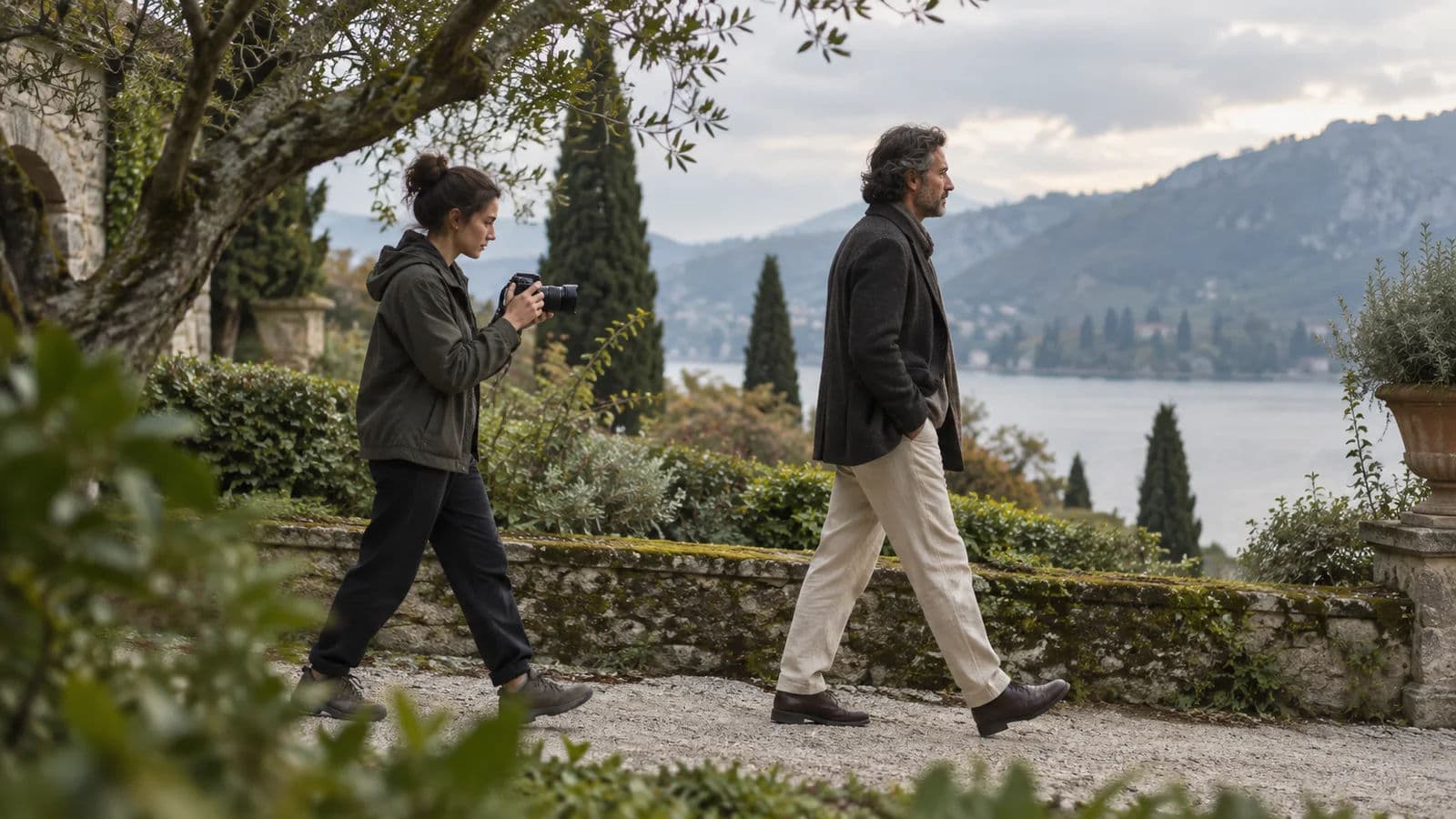
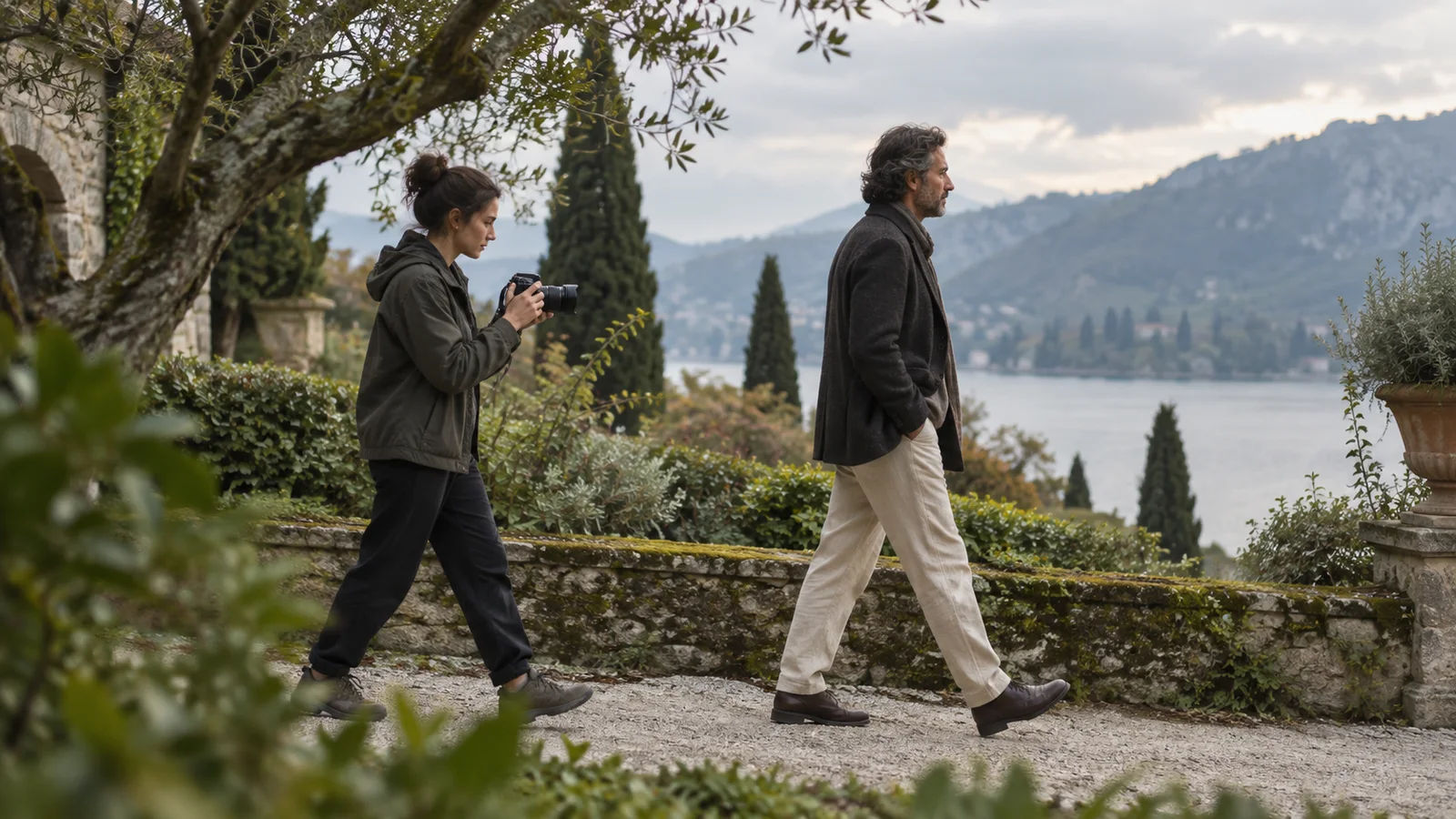
The actor walks, and the camera goes with them. A doorway slips behind their shoulder. The background changes, but their face stays close.
That is a tracking shot. The camera travels through space during the shot. It can move beside someone, follow them, or approach them.
A dolly is one way to make that movement smooth. It isn't the only way. A short, careful handheld move can be enough for a small film.
Know why the camera is moving
Write down what the move reveals. Perhaps a person leaves a crowd, approaches a difficult conversation, or discovers an empty room.
If the move adds no information or feeling, try a fixed shot. Camera movement takes time, attention, and repeatable action.
The Australian Screen glossary distinguishes camera travel from a zoom. A zoom changes framing through the lens. It doesn't move the camera through the room.
That physical change is what gives tracking shots their shifting foreground and background.
Start with the shortest useful move
A two metre move is easier to repeat than a winding journey. Choose a clear start, one useful action, and a settled finish.
Give the actor a destination. Walking towards a real action often looks more natural than walking only to fill the shot.
Rehearse without recording. Notice where the framing changes, where focus becomes difficult, and where the operator's steps become visible.
Then remove anything that makes the move harder without helping the story.
Make the path safe before making it smooth
Check the ground for loose stones, cables, wet patches, and changes in height. Make sure nobody else will walk into the route.
A camera screen narrows your attention. Have someone watch the path if the operator cannot see it clearly.
Don't walk backwards near steps or traffic. Don't put someone in a shopping trolley or on an unstable chair to imitate a dolly.
Use equipment within its purpose and load limits. If a move needs a specialist support or rig, get someone who knows that equipment.
Hold the camera close
Bring your elbows near your body and keep the camera comfortable. Outstretched arms tire quickly, which can make a take wobblier at the end.
Walk with small, soft steps. Keep your pace matched to the actor rather than correcting the framing in sudden bursts.
A slightly wider view can leave room for small mistakes. But don't go so wide that you lose the feeling you wanted.
Practise the start and stop separately. A good middle section is less useful if the camera lurches every time the actor moves.
Let the background show the travel
Movement reads through changing relationships. A nearby post passing the frame can show travel more clearly than a distant empty wall.
Use that depth carefully. A foreground object that crosses a face can spoil the important moment.
Rehearse the exact timing so that the reveal happens when it should. Then keep the actor's pace consistent across takes.
If everything sits far away, the movement may seem small. You don't need to move faster. You may need a better route.
Focus needs its own plan
A camera moving towards a person changes focus distance. A camera travelling beside them may keep that distance more consistent.
Choose the simpler path if your focus control is limited. Stopping the lens down can add room for error, provided there is enough light.
Test autofocus with the actual blocking if you intend to use it. Check whether it jumps to the background or follows the wrong face.
Don't judge the result only on the small camera screen. Look at a larger view before leaving the location.
A small support can help
A properly rated slider can suit a short reveal across a table. A monopod or shoulder support may make a handheld setup easier to hold.
A gimbal can smooth some movement, but it needs balancing and practice. It doesn't automatically create a good start, composition, or finish.
Borrowing equipment can be useful if the shot clearly needs it. Before buying anything, repeat the move with the camera you have.
You may find that a shorter move solves the problem.
Use stabilisation as a finishing step
- Put the selected take on the timeline in the Cinemadio Editor.
- Select the video clip and open its Video tab.
- Find Stabilize and switch it On.
- Choose Smooth for a shot that should keep travelling.
- Adjust Smoothness, then watch faces and frame edges.
- Compare with stabilisation switched off.
The editor corrects position, rotation, and scale. It doesn't rebuild every distorted frame or remove blur recorded during a bump.
Zoom in framing crops the picture to hide moving edges. Leave some room during the shoot so that the crop doesn't cut off hands or heads.
More smoothing can mean a tighter crop. If the shot becomes cramped, reduce the strength or choose a steadier take.
Watch the feeling after the repair
A following shot should still feel like following. If the background floats oddly, the treatment may be too strong.
Check transitions into and out of the move. A sudden stable frame beside a lively handheld shot can feel distracting.
Sound helps carry the movement too. Keep footsteps, breathing, and the changing room ambience in mind before replacing everything with music.
Our guide to planning sound before filming can help with that part.
For your next test, film one short walk three times. Improve the route and your timing before reaching for a stronger stabilisation setting.